

This guide is for agents made in the Builder. If you do not have a number in Ryvo yet, start with Connect your Twilio number.
What you need
- A Twilio number imported in Phone numbers.
- A published agent. Calls always use the published version, never the draft you are editing.
- A payment method saved and credits in your account. Calls are billed like any other conversation of the agent.
Connect the number to the agent
1
Open the agent in the Builder
From Agents, open the agent and go to the Channels tab.
2
Choose the number
On the Voice card, pick one of your free numbers under Choose a number and click Connect number.
3
Done
The card turns Connected and says which number it answers on. You can also do it from Phone numbers, with the Assign agent picker of each row.
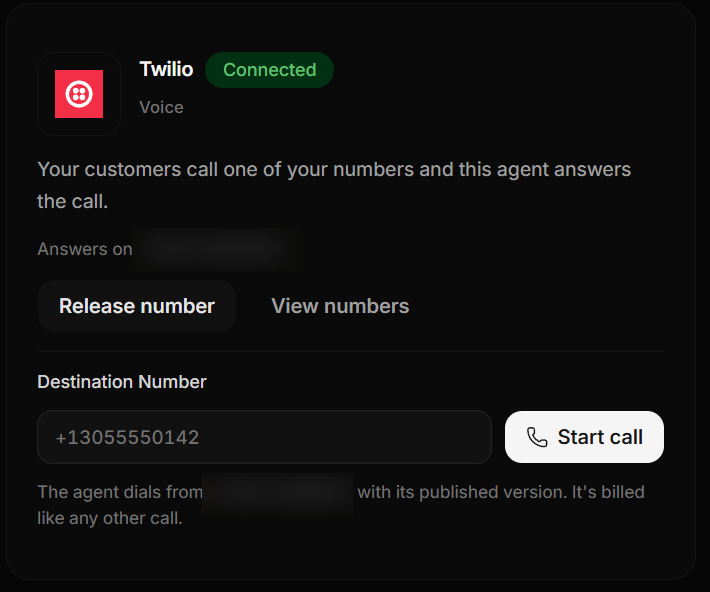
The Voice card in the Builder's Channels tab, with a connected number.
What Ryvo changes in your Twilio account
When you connect the number, Ryvo sets its voice webhook in Twilio so incoming calls reach your agent, and saves the previous setting. If you release the number (Release number) or delete it from Ryvo, the previous setting is restored. Ryvo does not touch anything else in your account.Incoming calls
Anyone who dials the number talks to your agent. The agent greets first with its first message and the conversation follows its instructions, knowledge and tools, the same as in the Builder test. If the agent cannot take the call, the caller hears a short message in the agent’s language and the call ends. It happens when:- the agent is paused or has no published version;
- the account has no credits or no payment method;
- the account reached its concurrent calls limit.
Outgoing calls
From the Builder
On the same Voice card, type the number to call in Destination Number (E.164 format, for example+13055550142) and click Start call. The agent dials from its connected number with its published version.
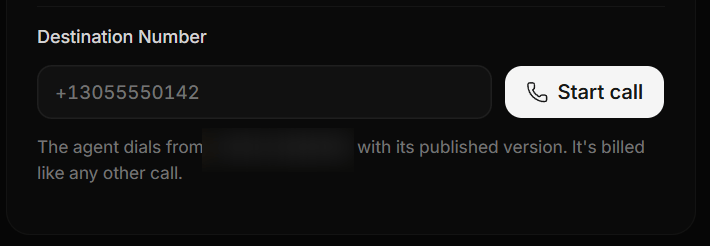
Destination Number and Start call.
From the API
POST /v1/calls accepts the id of a Builder agent. The call leaves from the number connected to that agent, or from the one you send in from if it is also connected to it.
"runtime": "engine" and the call id. Full details in the API reference.
Calls nobody answers
If the other side does not pick up, is busy or the call fails, Twilio tells Ryvo right away and the call closes within seconds. It is not billed and it does not use your account’s capacity.Where you see your calls
Every call shows up in Calls with its number, its direction (incoming or outgoing), duration, transcript and cost. In the API,GET /v1/calls returns them with channel: "phone" and direction.